 Pocket Professor
Can I park here?
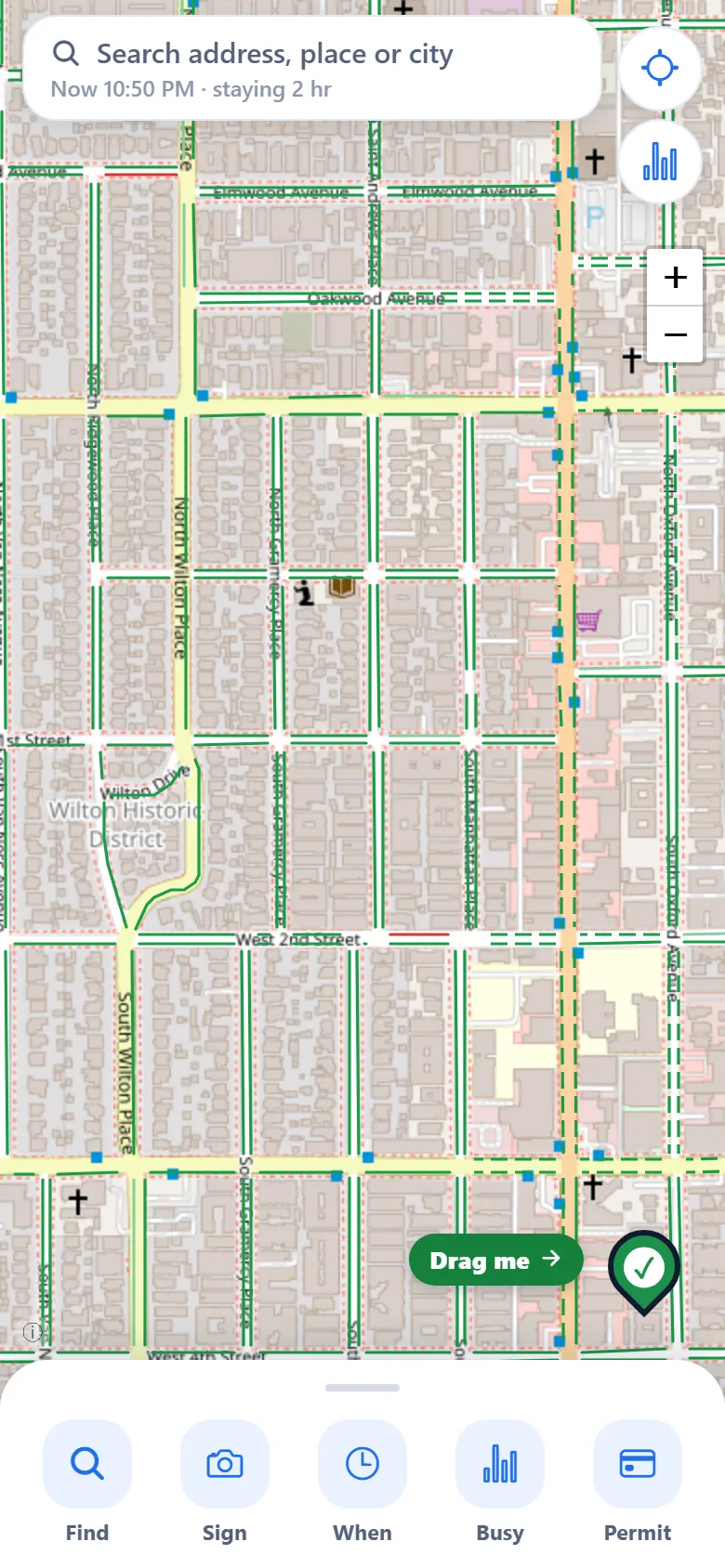
Pocket Parker answers that for the curb in front of you. Every curb on the map is colored: green means you can park, yellow means your time is limited, red means not now. Tap one to see how long you can stay and which rule comes next.
iPhone and Android app: App Store and Google Play links are coming soon.
What it does
Park without the guesswork.
Every curb, colored
See at a glance where you can park right now, or at a time you pick.
How long you can stay
Tap a curb for the time limit and the next rule: street sweeping, a meter or a permit zone.
Find parking near a place
Search a destination and get the best spots first, with the walking time.
Your odds, block by block
See the chance of finding a spot before you circle the block.
Game days and campuses
Lots and garages around stadiums, arenas and colleges, and a warning when a game nearby will make parking harder.
Ticket warnings
On your phone, Pocket Parker can notice where you parked and remind you before your time runs out.
Where it works
Curb rules are most complete in Los Angeles. Other California cities and many large US cities have street sweeping, meters or permit zones. Where there is no data yet, curbs show gray.
In your browser
The map, Near me and address search all work on the web. Ticket warnings, reminders and sharing from a maps app need the phone app.
Please read the sign
Pocket Parker is a guide, and it can be wrong or out of date. Posted signs and curb paint always win, so check the sign before you walk away.
See your street.
The map opens in your browser. No account, no ads, no tracking.